EDCA
Elite Dangerous Colonisation Assistant
A local, browser-based HUD that tracks your Elite Dangerous colonisation construction sites and fleet carrier logistics automatically from your journal. No spreadsheets, no accounts, nothing leaves your PC.
Windows · opens in your browser automatically; reachable from a tablet on your local network at <your-PC-IP>:8000/app
What it does
Journal-driven, automatic
EDCA reads your Elite Dangerous journal as you play and keeps your colonisation state current on its own. No spreadsheets and no manual entry.
System shopping lists
Every commodity still needed across all construction sites in a system, aggregated into one list with progress, average payment and where each is needed. Watch it go green on full delivery.
Fleet carrier logistics
Your carrier's cargo, market buy and sell orders and capacity breakdown in one place, rebuilt from your journal and Market.json.
Systems and stations
Per-system station state, your visits and base landings, tracked from local data as you explore and build out a colony.
Browser HUD, tablet-ready
A lightweight web HUD you can open on a second screen or a cockpit tablet over your own network, with a keep-screen-awake option for long sessions.
Local-first, no accounts
EDCA runs entirely on your machine. No external services, no accounts and no telemetry; it reads your journal and nothing else leaves your PC.
The HUD
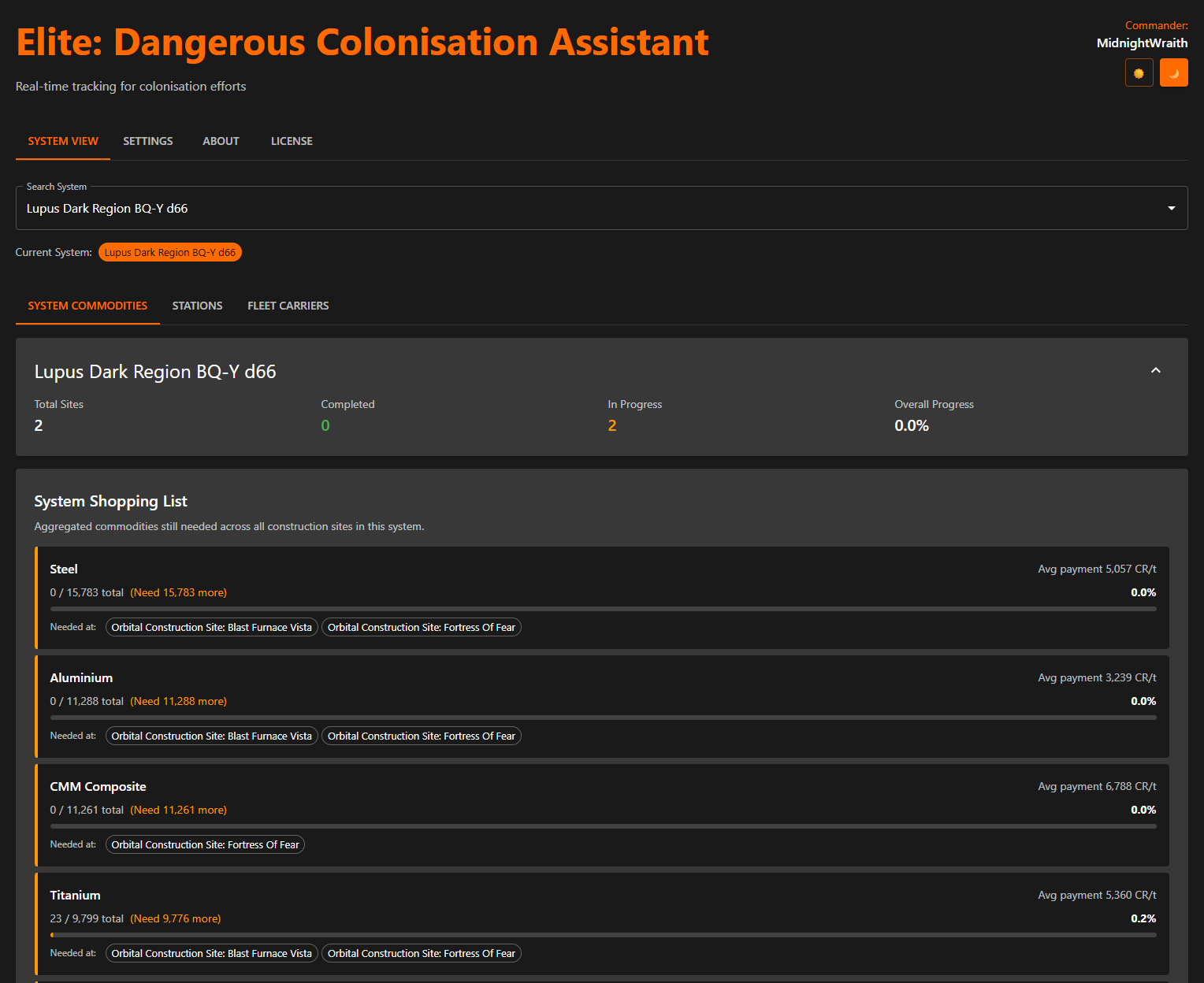
System view: the shopping list of commodities still needed across a system's construction sites.
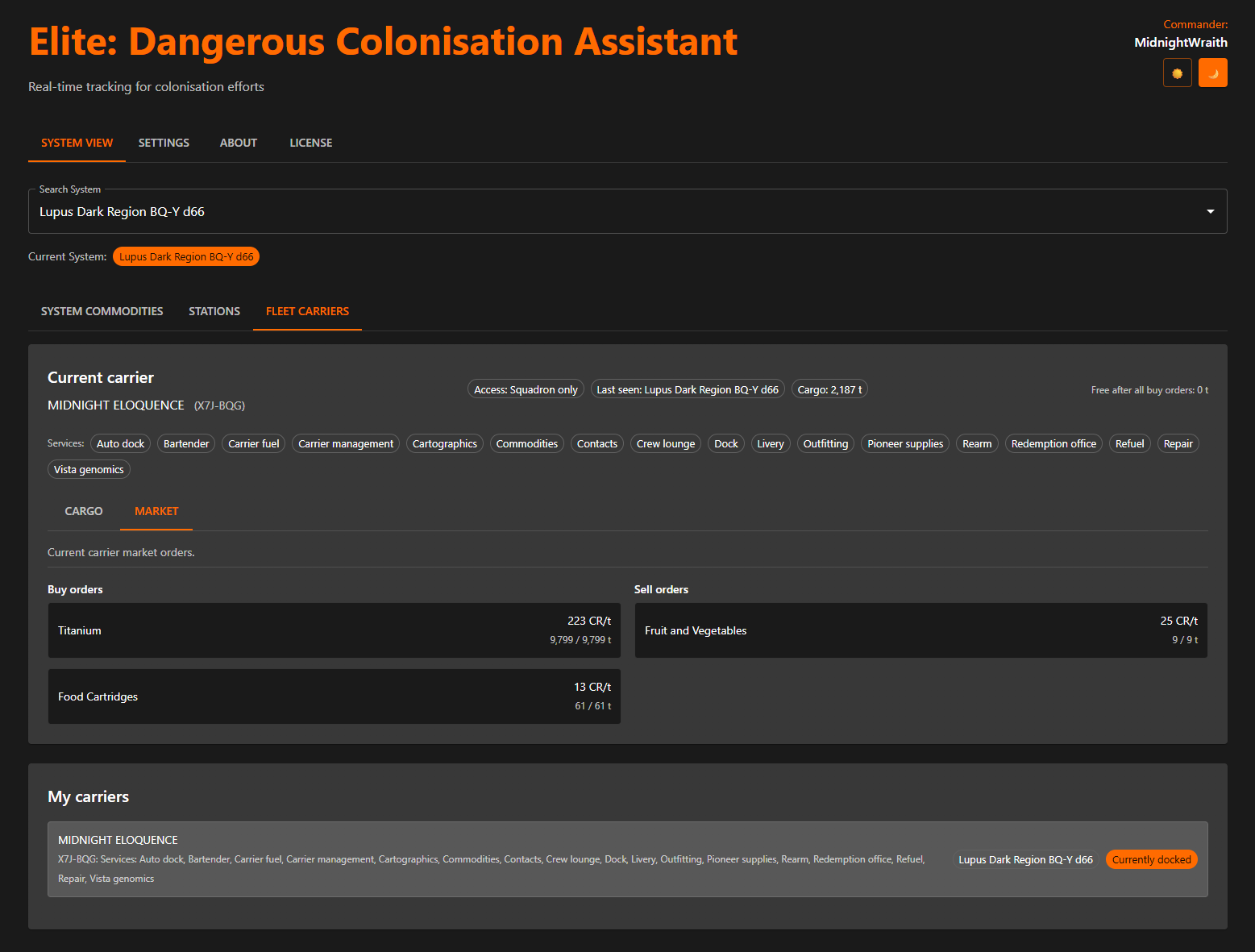
Fleet carrier view: cargo, market orders and capacity, rebuilt from your journal.
How it works
Install
Download and run the installer from the Releases page; there is nothing to configure.
Launch
EDCA starts a local web server and opens your browser for you. There is nothing to sign in to.
Play
It reads your journal straight away and keeps the colonisation and carrier views current as you fly.
Go cockpit
Open EDCA on a tablet using your PC's network IP on the same Wi-Fi and mount it beside the cockpit.
Requirements
Elite Dangerous on PC
with Horizons and Odyssey (the Trailblazer colonisation update)Any modern browser
Chrome, Edge, Firefox or SafariWindows 10 or 11
EDCA ships as a Windows installer from the Releases pageOptional second screen
a tablet beside the cockpit for immersionCommon questions
What is EDCA?
EDCA (Elite Dangerous Colonisation Assistant) is a free, local, browser-based HUD that tracks your Elite Dangerous colonisation construction sites and fleet carrier logistics automatically from your journal.
Does EDCA need an account or send my data anywhere?
No. It runs entirely on your machine, reads your local journal and has no accounts, no cloud and no telemetry.
Which platforms does EDCA support?
Windows. EDCA ships as a Windows installer you download from the Releases page.
What does EDCA track?
Per-system colonisation construction sites and their aggregated commodity shopping lists, station state and your fleet carrier's cargo, market orders and capacity, all from your journal.
Can I use EDCA on a tablet?
Yes. EDCA serves a browser HUD on your local network, so you can open it on a tablet or phone on the same Wi-Fi and mount it beside your cockpit, with a keep-screen-awake option.
Does EDCA support squadron or multiplayer colonisation?
No. Elite Dangerous journals are local to each player, so EDCA tracks your own contributions only.